Skip to content

Invite your team

Colleagues see the same competitors, at no extra cost.

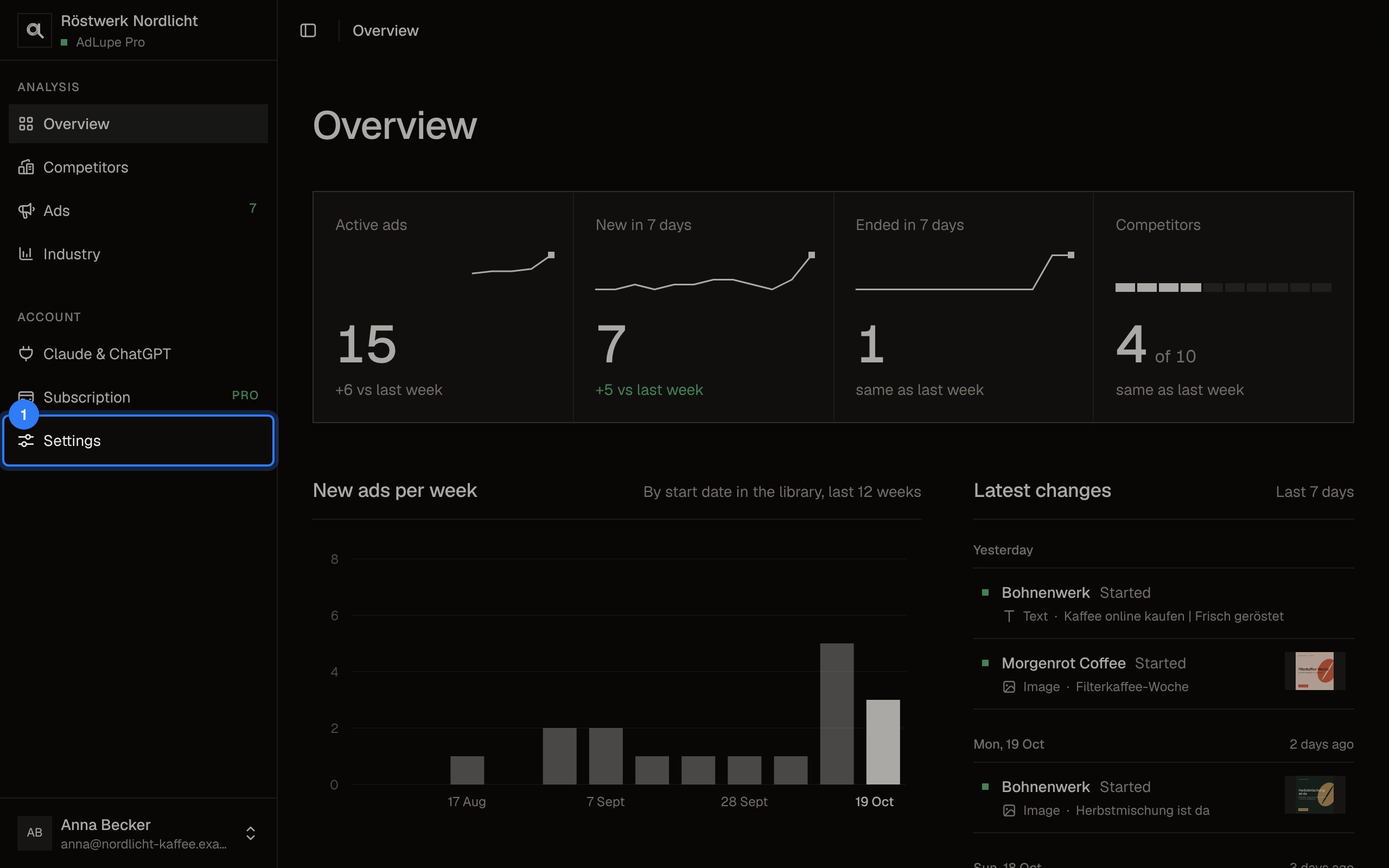
  1. Step 1 of 3: Open Settings

    Click Settings on the left.
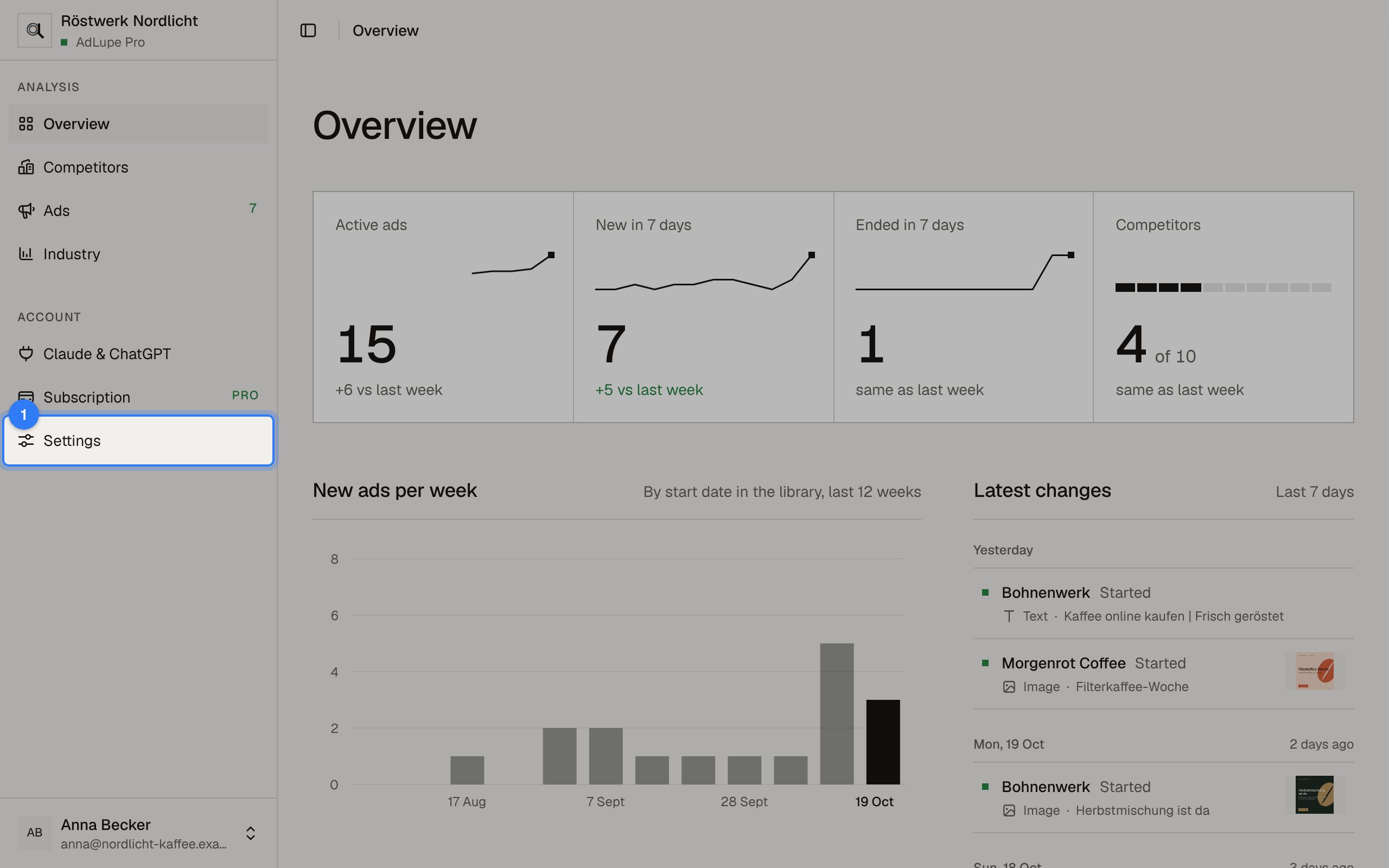
    Invite your team, step 1: AdLupe screen with the area to click highlighted
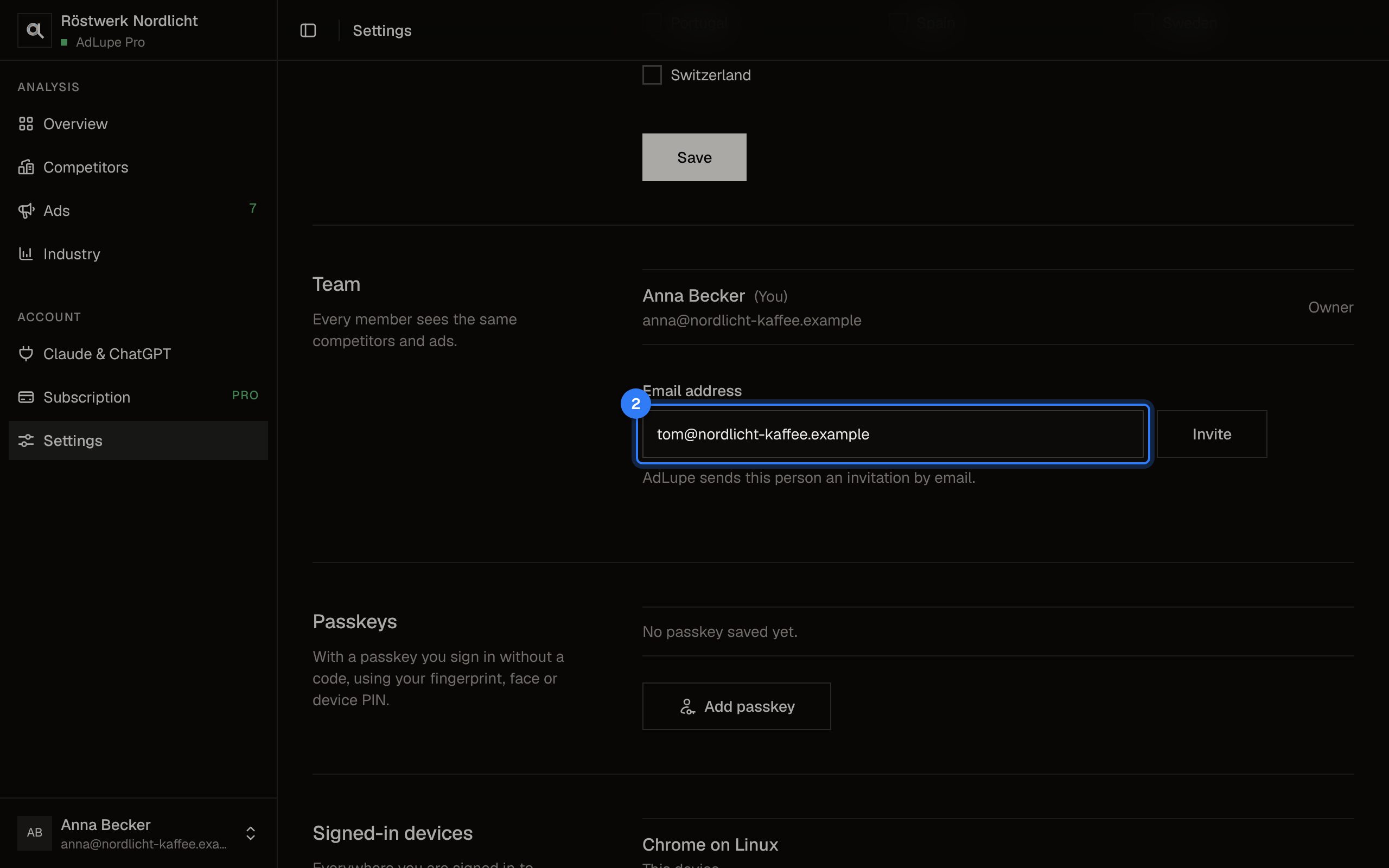
  2. Step 2 of 3: Enter the email address

    Under Team, enter the person's email address.
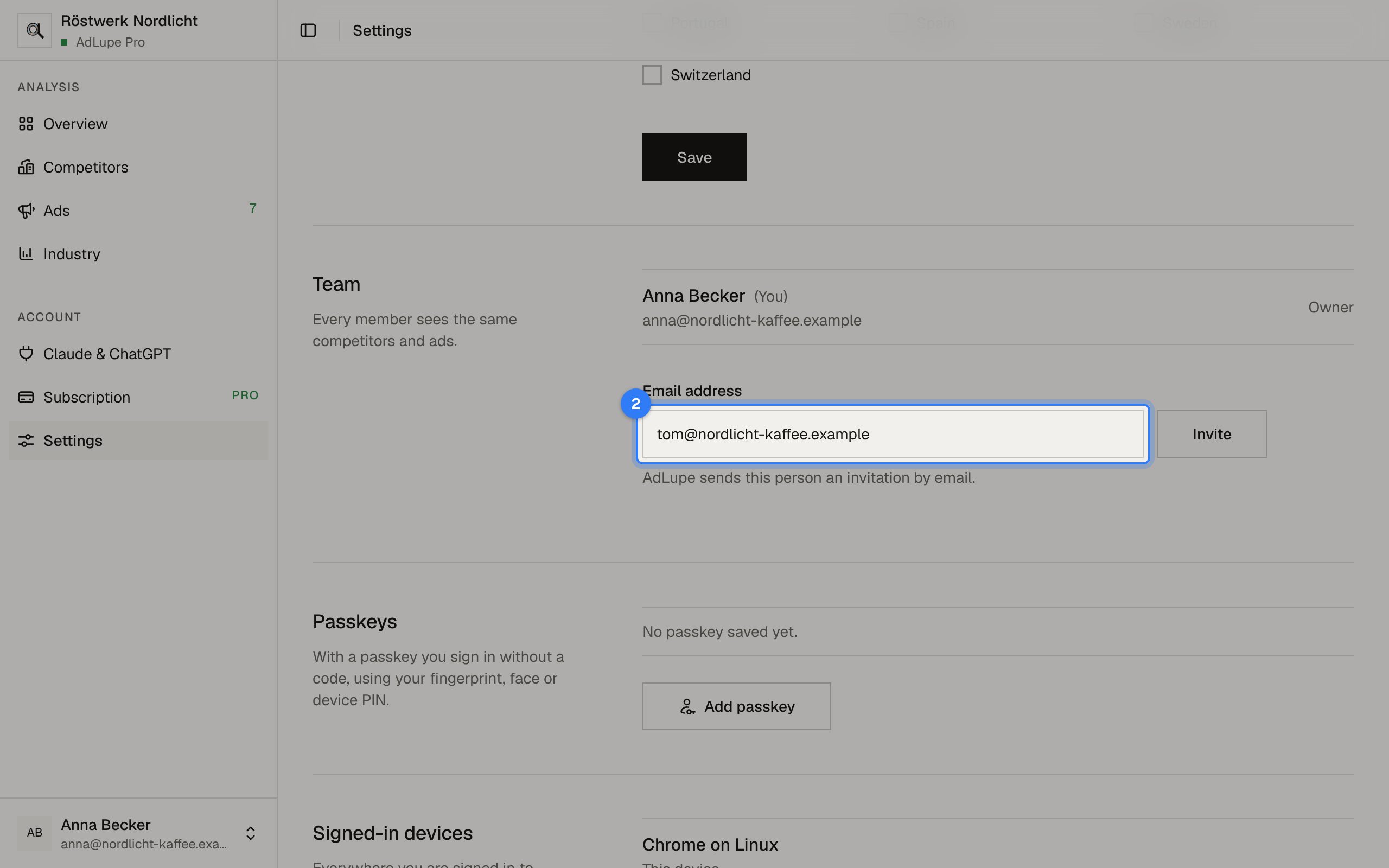
    Invite your team, step 2: AdLupe screen with the area to click highlighted
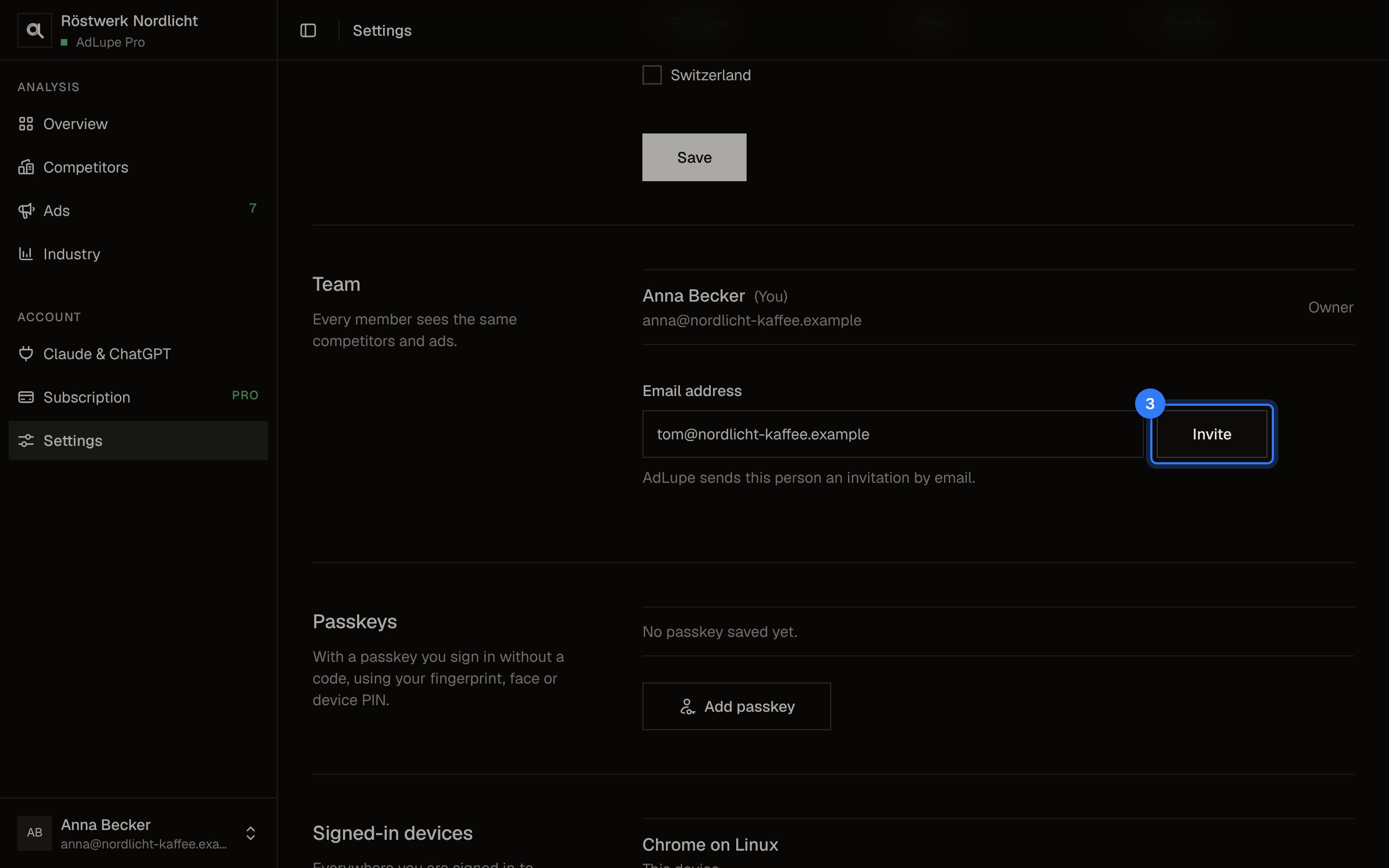
  3. Step 3 of 3: Invite

    Click Invite. The person gets an email with a link and signs in with it.
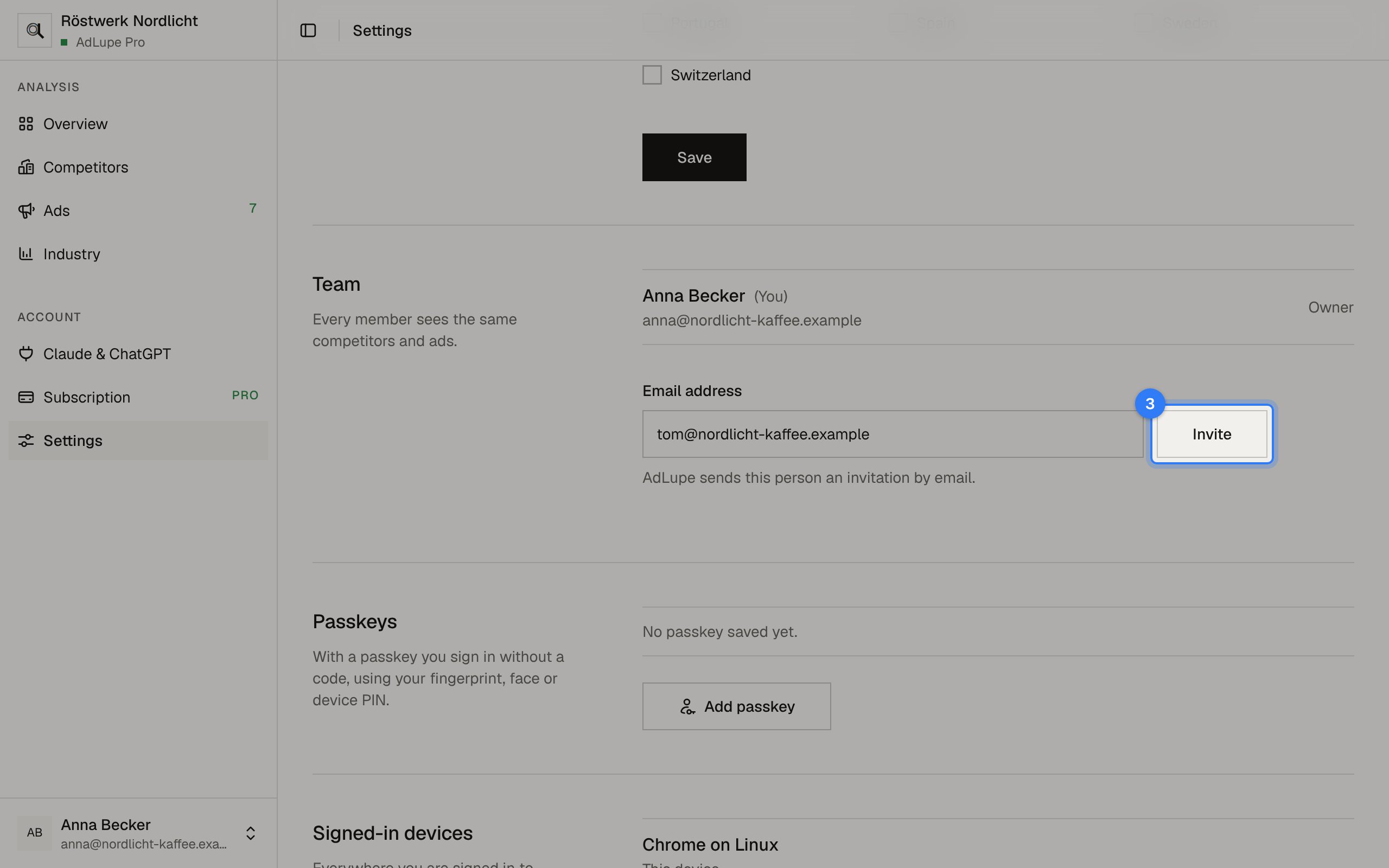
    Invite your team, step 3: AdLupe screen with the area to click highlighted

The pictures show a sample company with made-up competitors.

Choose countries

One plan, everything included

What does AdLupe cost? €9.99 a month. Cancel any month.

One price for your whole team, no charge per user.